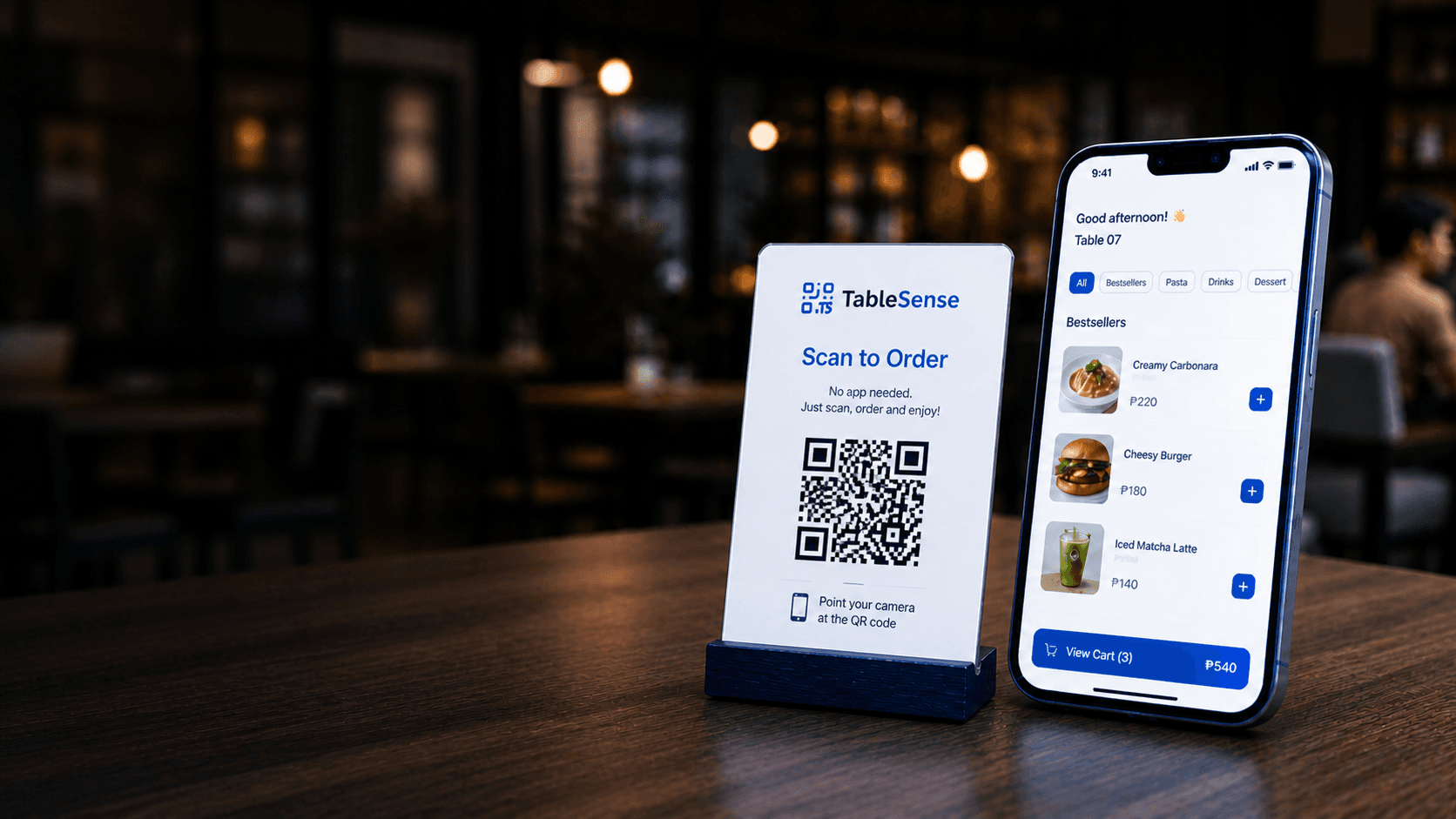
Turn Every Table
Into a Self-Ordering
Machine
Let your customers scan, order, and dine without waiting.
Serve faster. Increase sales. Reduce workload.
- No App Needed
- No Credit Card Required
- Easy to Setup
- Reduce Order Mistakes
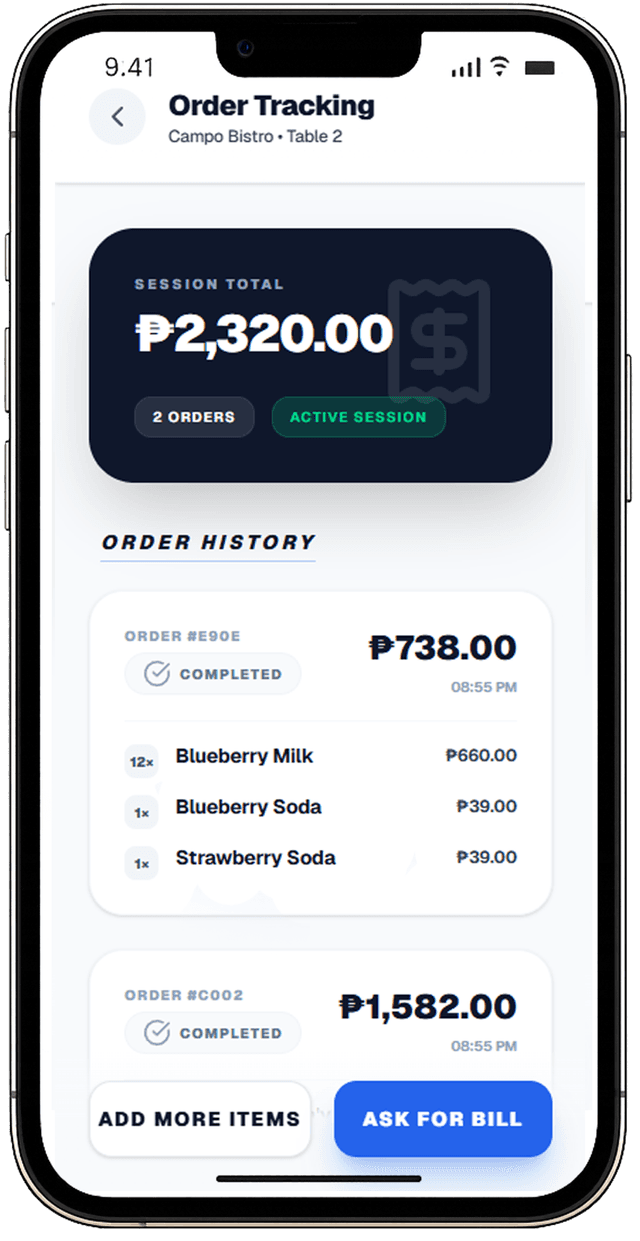
- Real-time Order Tracking
Built for restaurants, cafés, milk tea shops, and modern food businesses
Fix the everyday problems
We built TableSense to solve them.
Problems
Long Waiting Time
Customers wait too long to place orders.
Wrong Orders
Manual taking leads to mistakes.
Overworked Staff
Too many tables, not enough staff.
Lost Sales
Slow service means lost revenue.
Solutions
Scan & Order Instantly
Customers scan and order in seconds.
Direct to Kitchen
Orders are sent instantly to your kitchen with no staff needed.
Pay When Ready
Customers can pay at the counter or request the bill anytime.
Streamlined Operations
Run your restaurant smoothly and efficiently.
Everything you need to run your restaurant smoothly
From QR ordering system flows to digital menu management, TableSense helps teams run smoother restaurant ordering software operations.
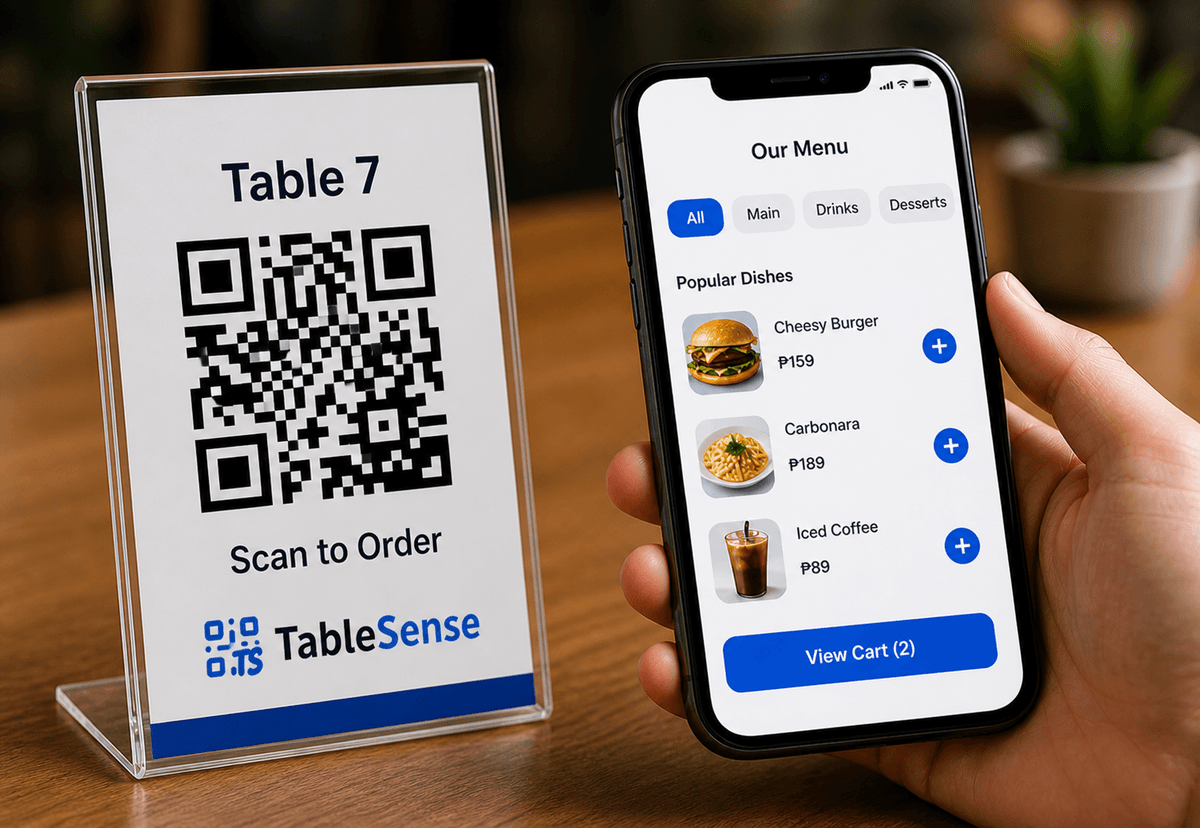
QR Ordering
Customers scan and order instantly, no app needed.
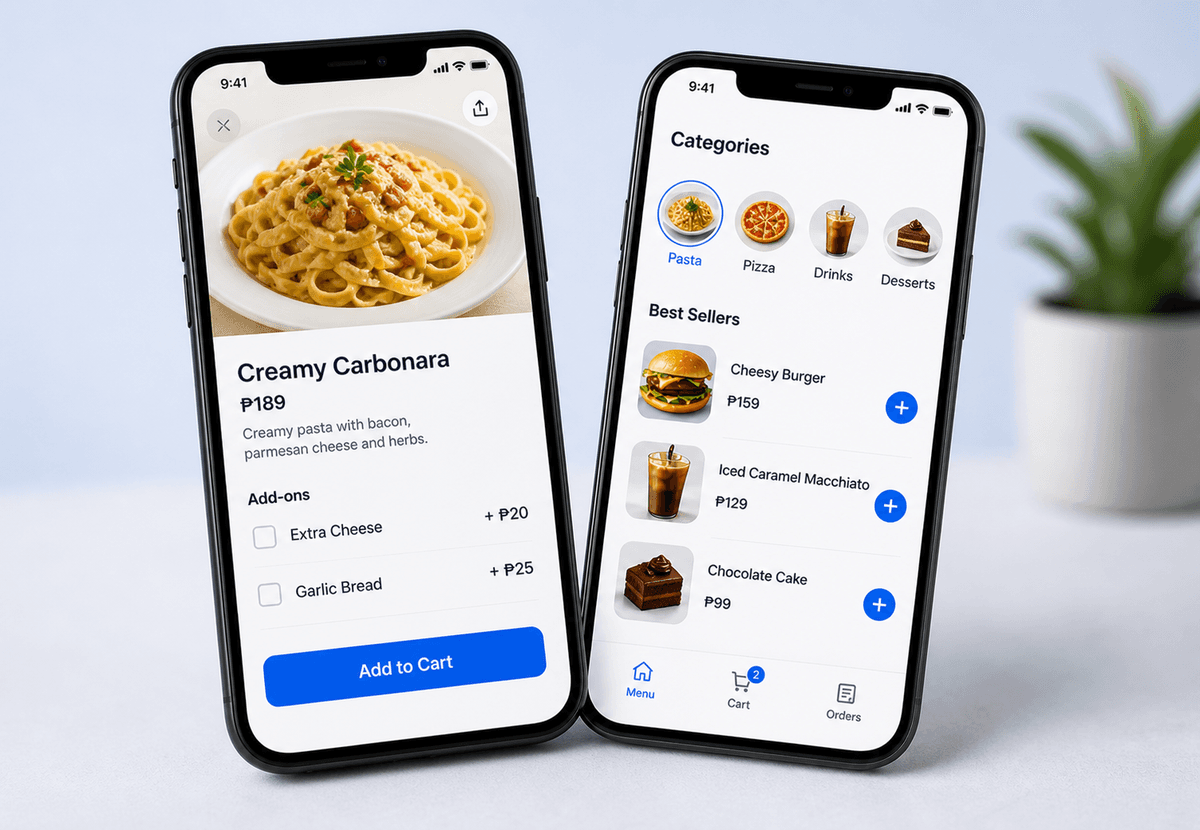
Smart Menu
Beautiful menus with images, variants, and availability control.
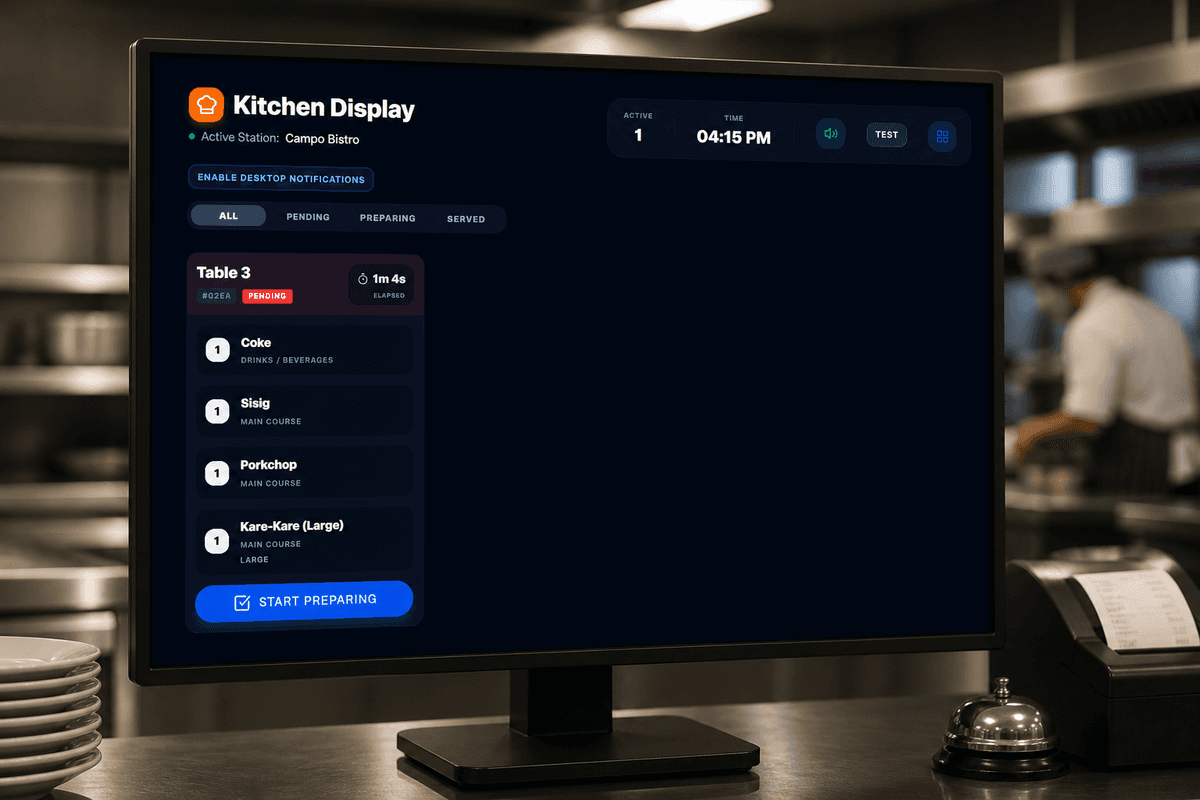
Kitchen Display
Orders go directly to your kitchen screen.
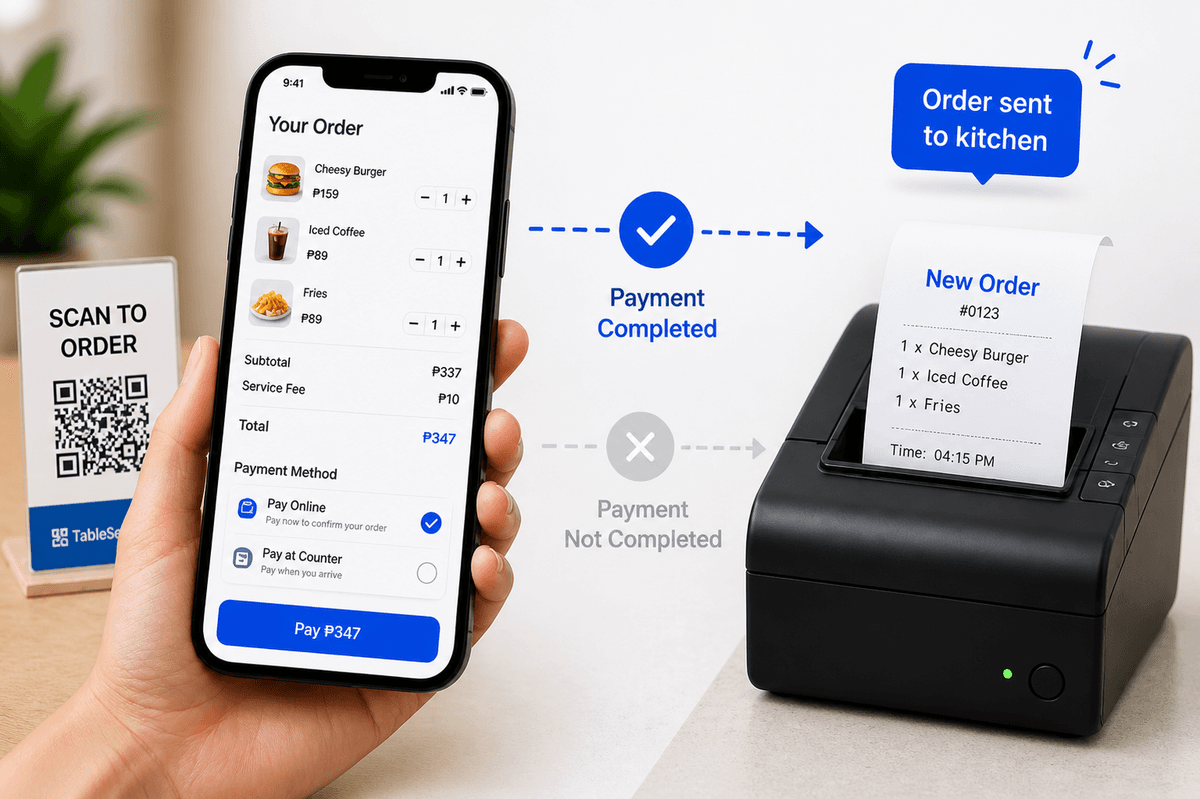
Seamless Checkout
Customers order freely and settle the bill when they’re ready.
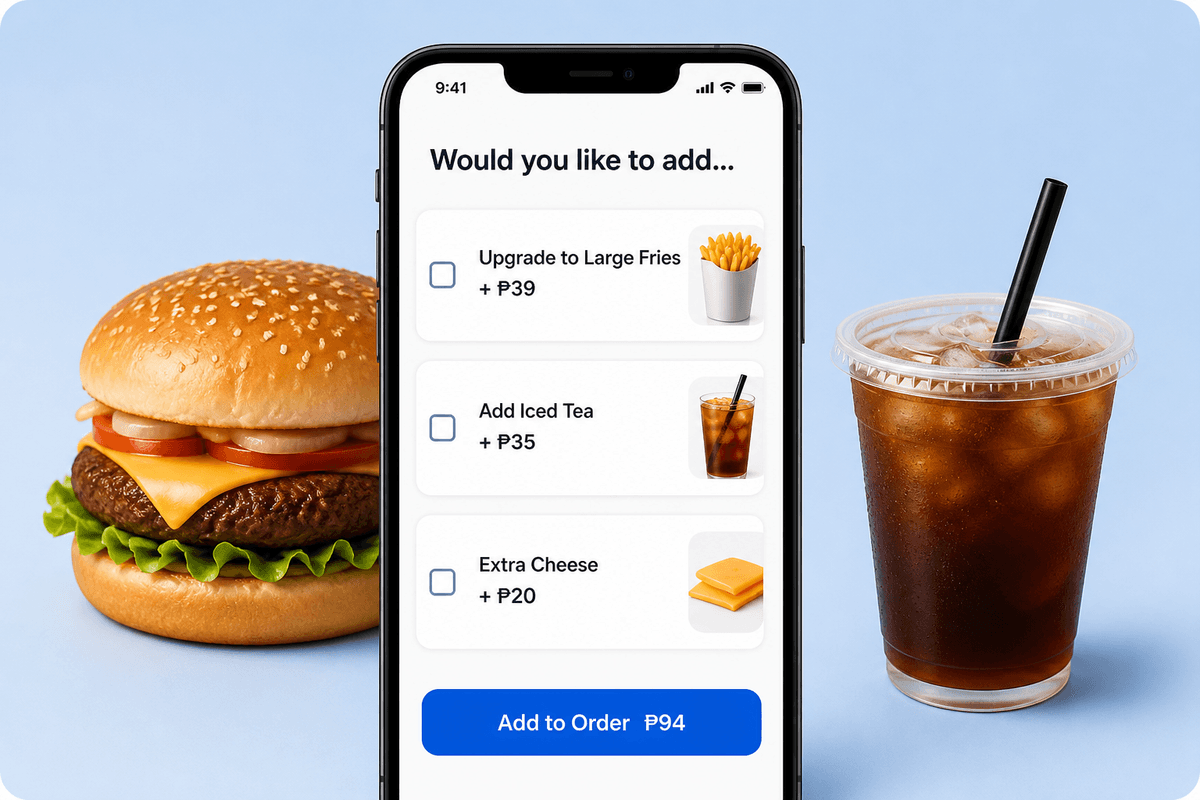
Upsell & Add-ons
Increase order value with combos and smart suggestions.
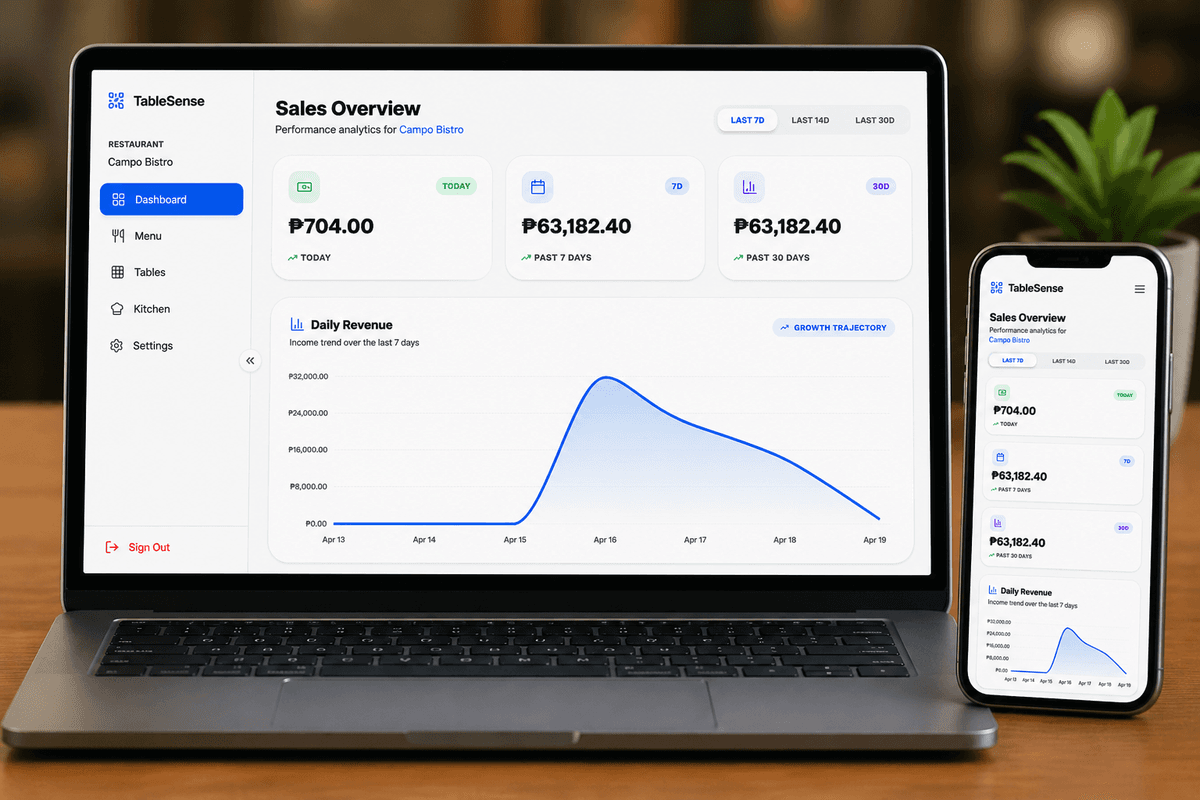
Analytics Dashboard
Track sales, peak hours, and best-selling items.
How TableSense Works
A simple 4-step flow to serve customers faster and reduce manual work.
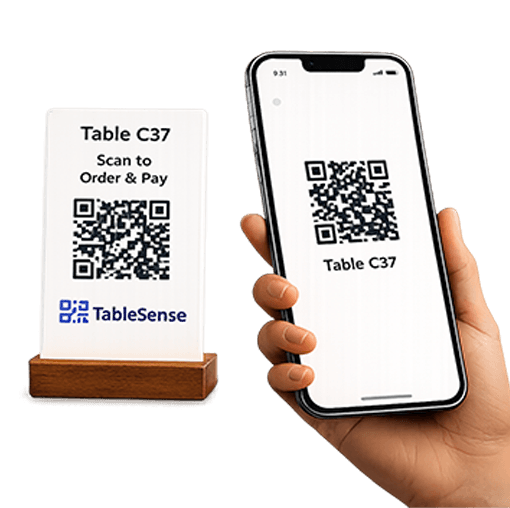
Scan QR
Customer scans the QR code on the table.
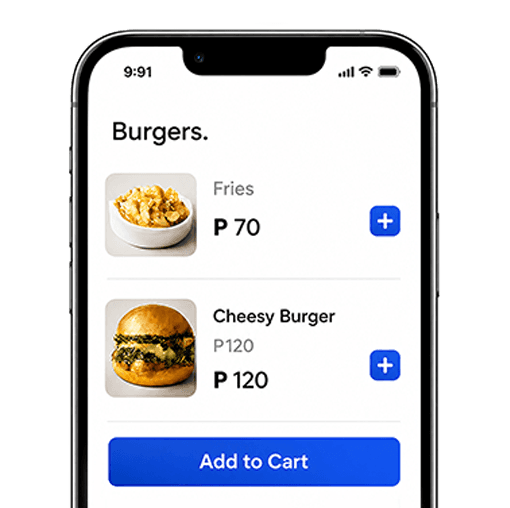
Order & Send Instantly
Orders are sent directly to the kitchen in real time.
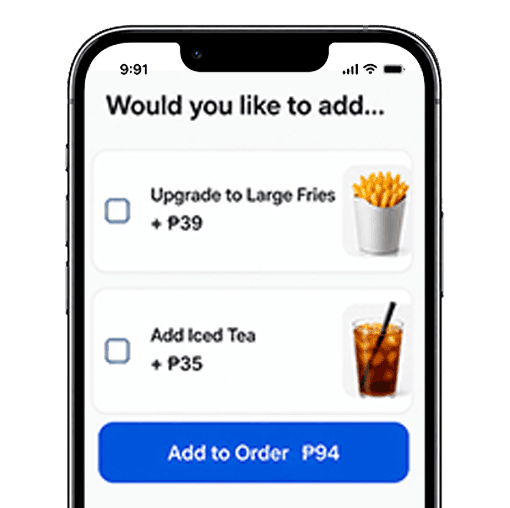
Track & Add More
Customers can track orders and add more items anytime from the same table.
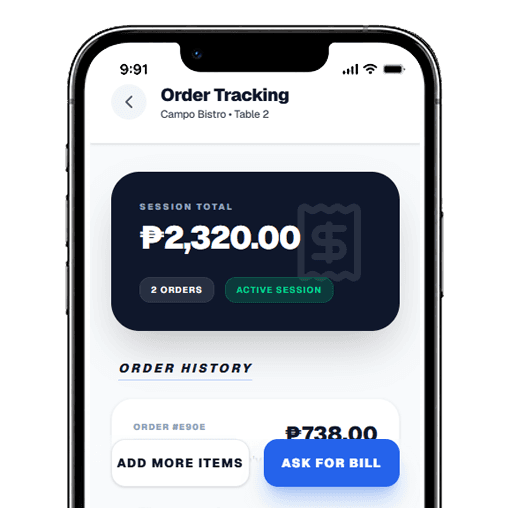
Pay & Finish
Request the bill and pay when ready.
Simple Pricing for Every Stage
Choose the plan that fits your business. Scale as you grow.
Free Forever
Ideal for small restaurants and cafés starting their digital ordering journey.
- Unlimited Orders
- Up to 10 Tables
- Up to 25 Menu Items
- Kitchen Display System
- Basic Analytics
- QR Code Ordering
- Online Menu Page
- Table & Counter Ordering
No credit card required
TableSense Pro
Everything modern restaurants need to scale efficiently.
- Unlimited Orders
- Unlimited Tables
- Unlimited Menu Items
- Kitchen Display System
- Advanced Sales Analytics
- E-Receipts & Tax Settings
- Service Charge Control
- Priority Support
One-time prepaid plans. No automatic renewal.
Enterprise
Custom solutions for large chains.
- Multi-location Dashboard
- Custom Domain / Subdomain
- API Access & Webhooks
- Dedicated Account Manager
- Custom Feature Development
Tailored solutions with dedicated onboarding and support.
Trusted by growing restaurants
See how TableSense is helping businesses serve faster and smarter.
Maria Santos
Cafe Owner
“Orders come in instantly and my staff can focus on service instead of taking orders.”
James Cruz
Restaurant Manager
“We reduced order mistakes almost completely. Customers love it.”
Angela Reyes
Milk Tea Shop Owner
“Setup was super easy and we started using it the same day.”
Mark Dela Cruz
Food Stall Owner
“Perfect for small teams. One QR and everything just works.”
1,000+
Orders Served Daily
100+
Active Merchants
99.9%
System Uptime
Frequently Asked Questions
Common questions about our QR ordering system and restaurant ordering software.
Do customers need to install an app?+
No. Customers simply scan the QR code with their phone camera, browse your digital menu, and place orders directly from their browser.
Is there a limit to the number of orders?+
No. Both Free and Pro plans support unlimited customer orders.
Can I use TableSense without dine-in tables?+
Yes. You can use Counter QR Ordering with a single QR code for all customers, making it ideal for cafes, food carts, milk tea shops, and takeaway counters.
What devices do I need?+
You can manage orders using a phone, tablet, laptop, or desktop computer. For the best kitchen experience, many restaurants use a dedicated tablet for the Kitchen Display System.
Can I customize my menu?+
Yes. You can add categories, menu items, prices, descriptions, and photos anytime through the admin dashboard.
Does TableSense support taxes and service charges?+
Yes. You can configure tax rates and service charges in the settings page, and they will be calculated automatically on customer orders.
What is included in the Free Plan?+
The Free Plan includes up to 25 menu items, up to 10 tables, QR ordering, Counter QR Ordering, Kitchen Display System, online ordering, and unlimited orders.
Can I upgrade later?+
Yes. You can start for free and upgrade to Pro anytime to unlock unlimited menu items, unlimited tables, advanced analytics, order history, exports, and additional premium features.
Ready to grow your restaurant?
Start accepting orders in minutes.
- Get started for free
- No credit card required
- Setup in 5 minutes